The book of your house.
Rooms and floor plans, paint colors, appliances and their manuals, service history, the breaker panel, accounts and the people you call. Everything about your home, or every home you have, in one place.
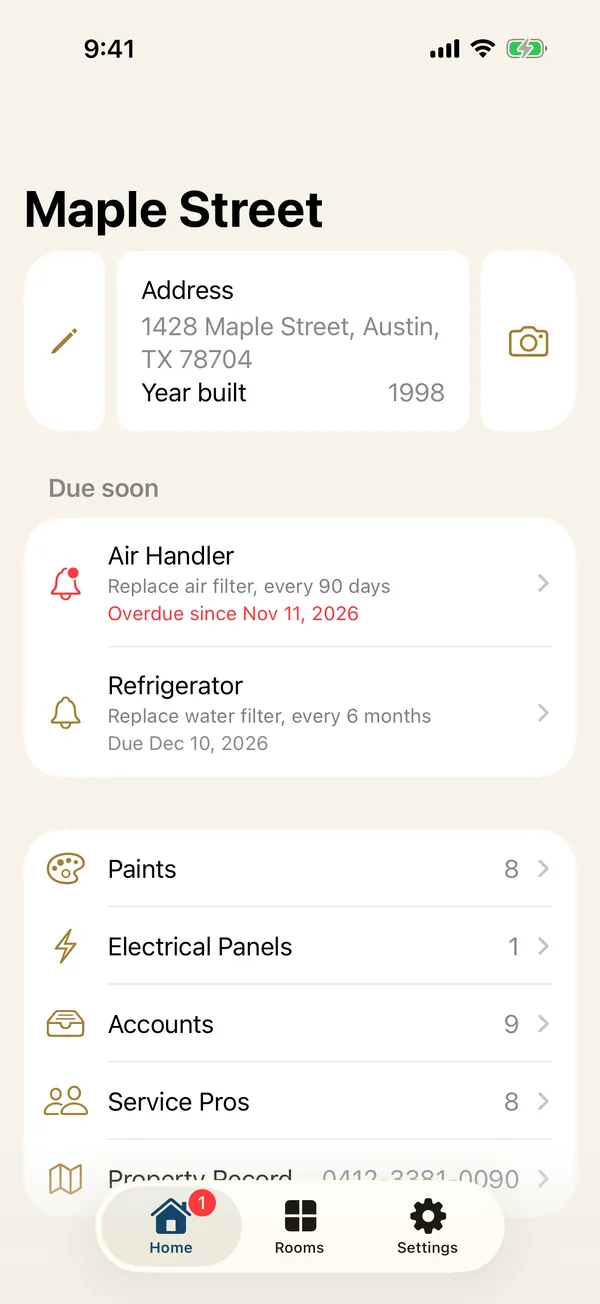
Everything about your home, in one book.
The answers you go looking for once a year, kept where you'll find them: what color the hallway is, which breaker is the kitchen, and who to call.
Never guess the paint color again.
More than 11,000 colors from Sherwin-Williams, Benjamin Moore and Behr are built in. Start typing a name or a code and pick the match: the brand, name and code fill in, and the color shows as a sample card.
Learn more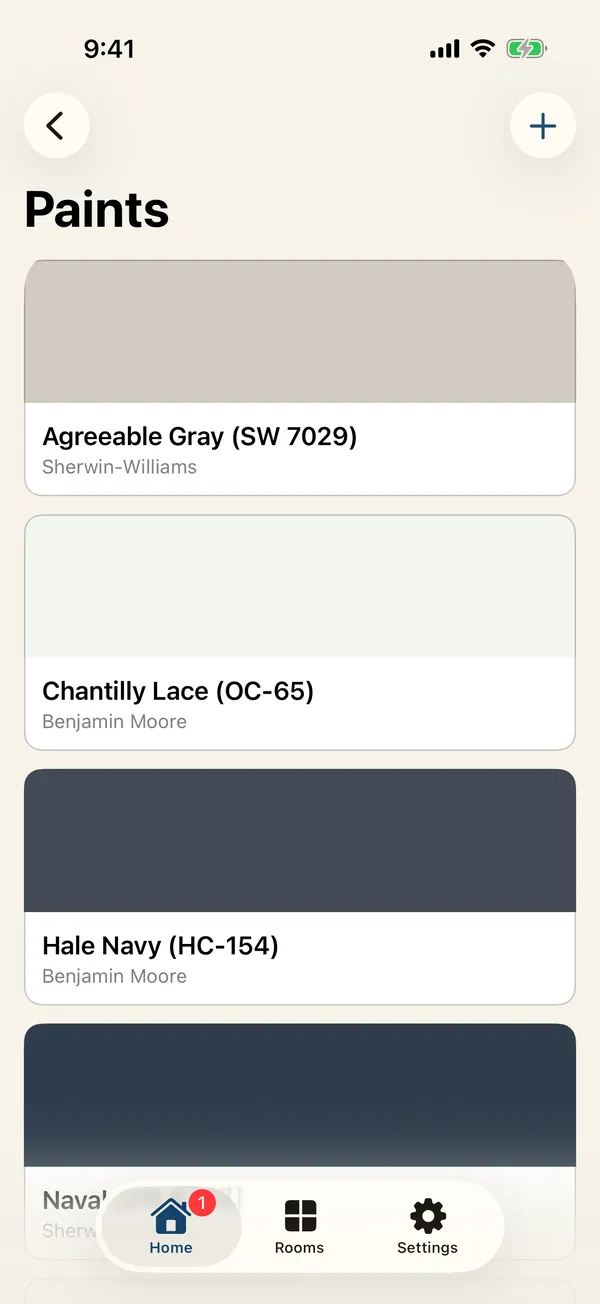
Know which breaker to flip.
Draw your breaker box as it really is, singles and doubles, and label each switch. Link breakers to rooms, and every room shows what to switch off before you change a fixture.
Learn more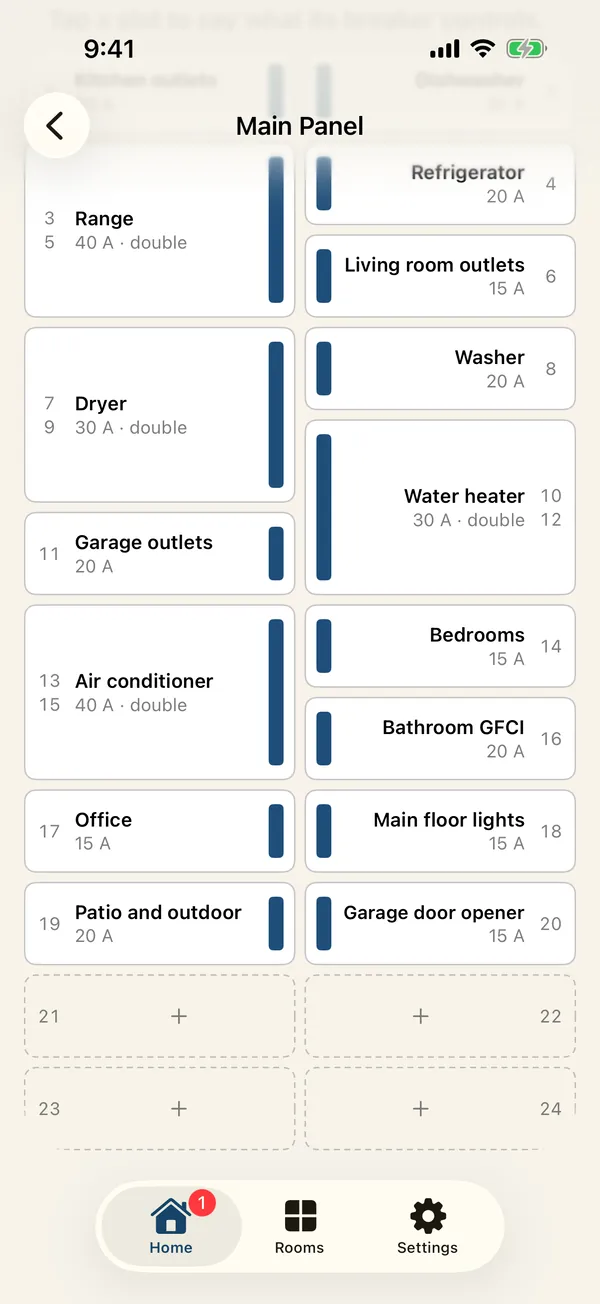
Lay out your home like a puzzle.
Your rooms come in ready to place. Drag them into position on a grid in feet, resize them by the corner, and see each floor's square footage add up.
Learn more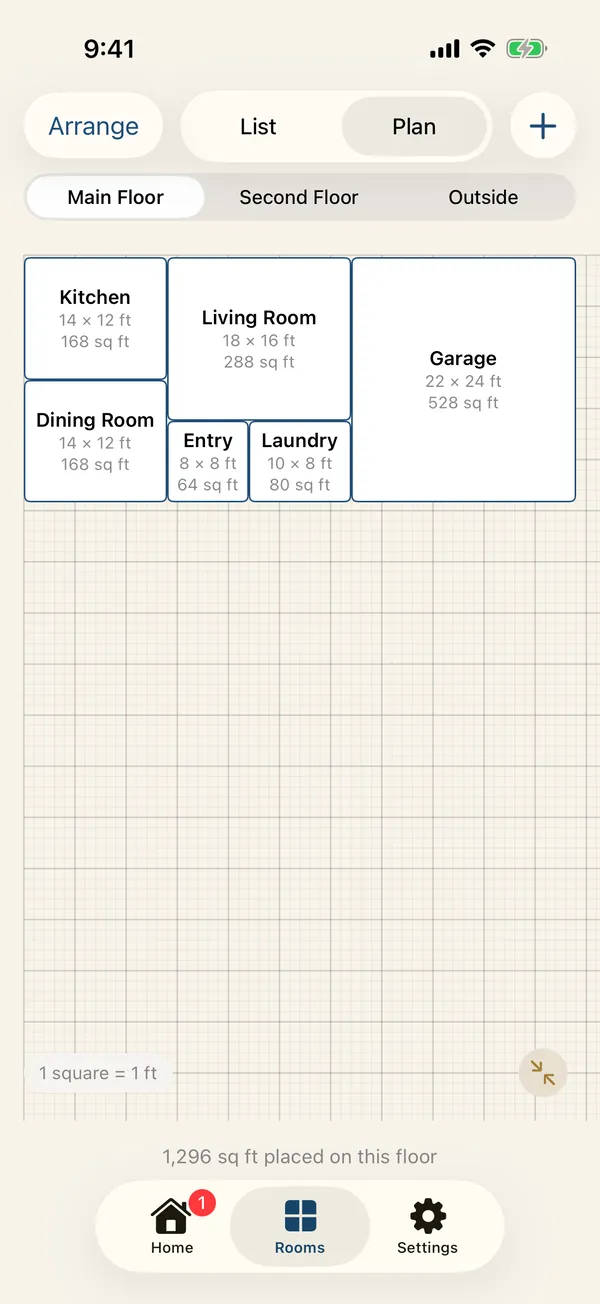
Every home, one tap apart.
The lake cabin, the rental, your parents' place: each keeps its own rooms, paints, panels and accounts, one tap apart, and your service pros come along to all of them.
Learn more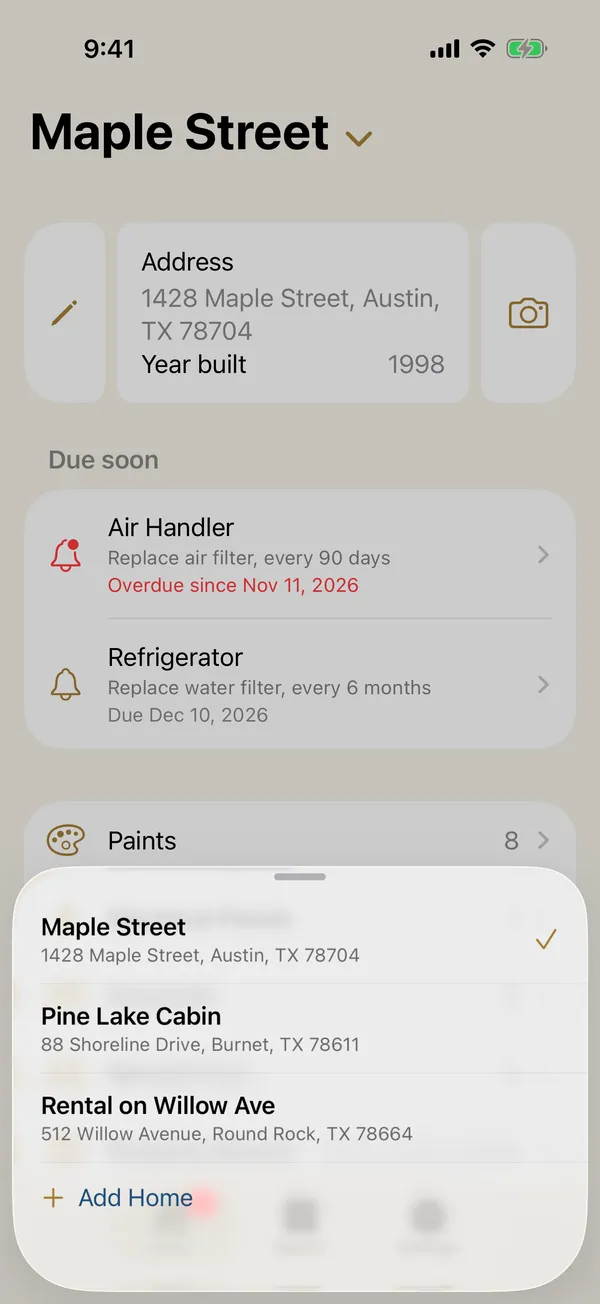
Unfold it, and it opens like a book.
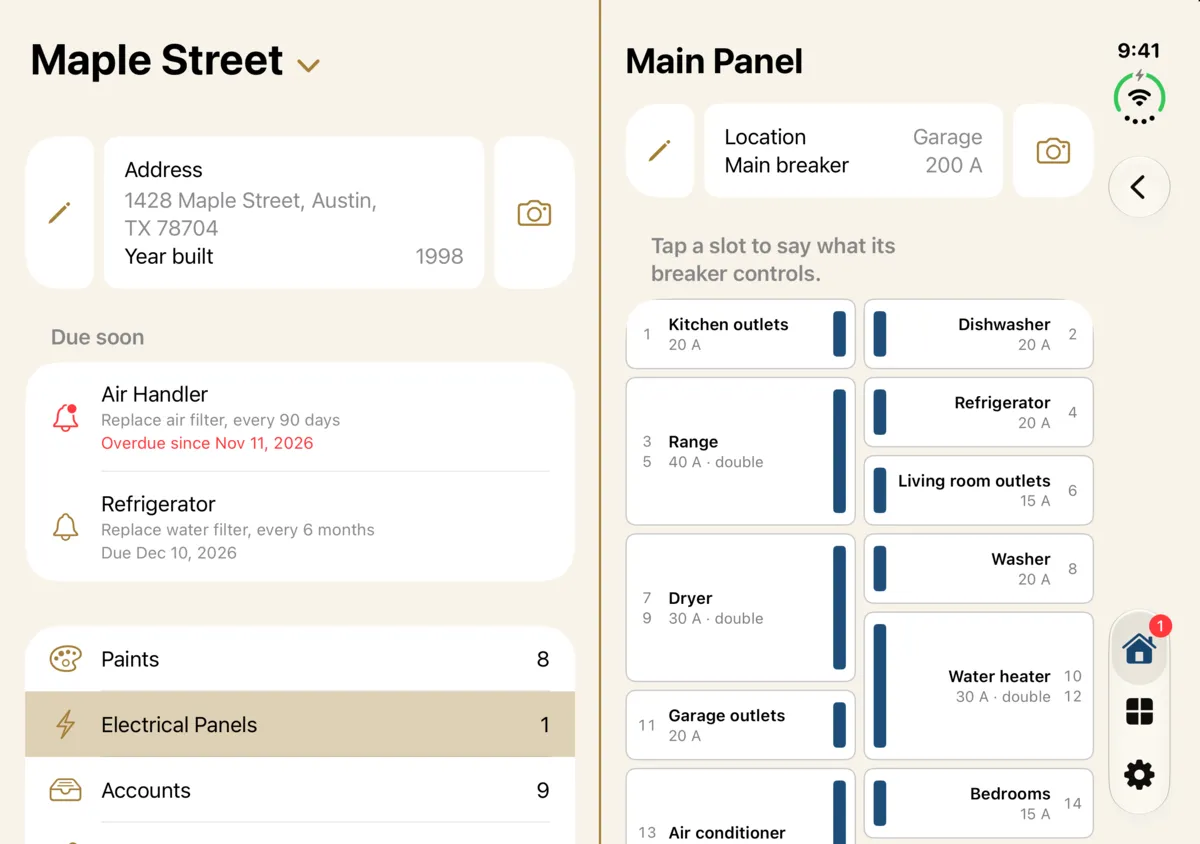
On iPhone Duo, your home sits on the left page and whatever you tap opens on the right, the two meeting exactly on the hinge under a gold line, like a book's spine.
Every home, on a bigger screen.
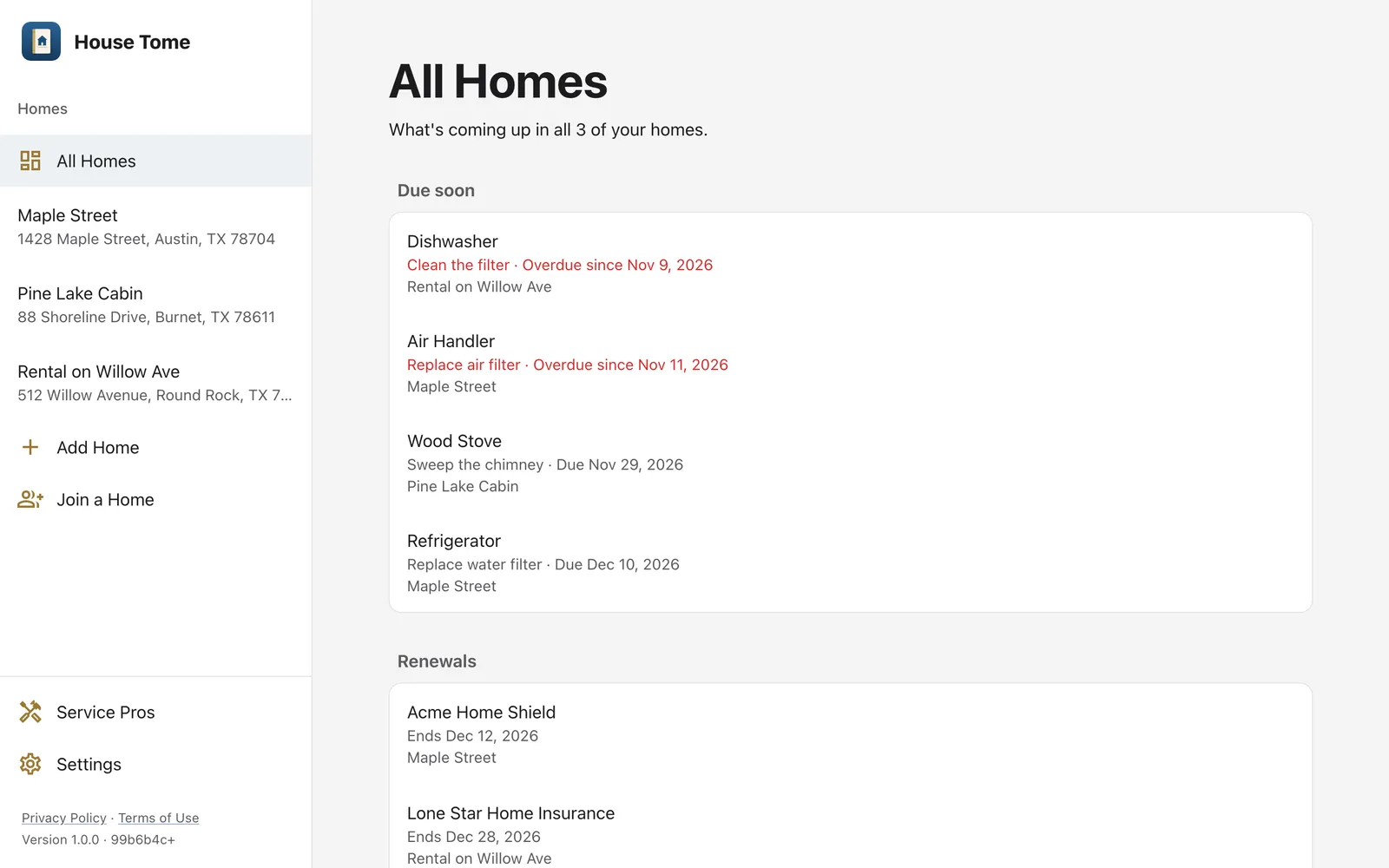
No iPhone, or more homes than fit on one? House Tome is also at app.housetome.com, with the same account and the same homes, and All Homes to see what's due across every one of them.
A minute in House Tome.
The book opening, your home and what's due, the floor plan, a kitchen and its refrigerator, paint colors filling in as you type, the breaker panel, and the people you share it with.
Your home, kept to yourself.
House Tome has no ads, no analytics and no tracking. What you add is yours: take a copy with you, or delete all of it, at any time.
Read on your phone
Labels, rating plates and receipts are read by your iPhone itself. The photo isn't sent anywhere to be read.
Yours to take with you
Download a copy of any home you own or manage, on any plan: every list as a spreadsheet, and every photo and document, in one ZIP.
Delete means delete
Deleting your account removes it with every home you're the only owner of, photos and documents included. A home you share with another owner stays with them.